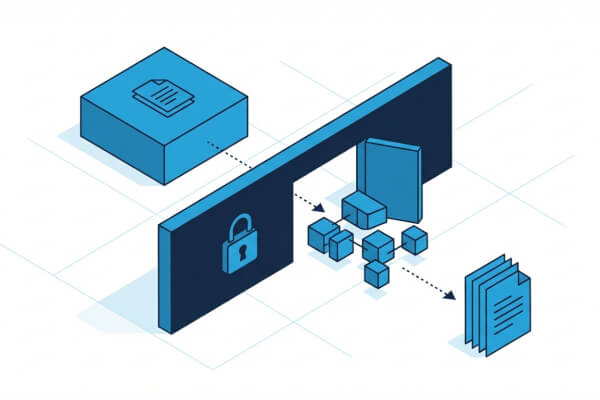
WPRESS vs ZIP: Why We Built a Better Archive Format for WordPress
ZIP was designed in 1989 for floppy disks. WPRESS was designed for WordPress migration on shared hosting. Here is why the format your backup plugin uses matters more than you think.
ZIP was designed in 1989 for floppy disks. WPRESS was designed for WordPress migration on shared hosting. Here is why the format your backup plugin uses matters more than you think.

The complete post-migration checklist for WordPress. 50+ verification steps across 10 categories to confirm your site moved correctly, nothing is broken, and you can safely decommission the old host.
Version 7.104 introduces CRC32 checksum integrity verification for .wpress archives, catching corrupted backups before they touch your site.

WPML not working after migration? Wordfence crashing? Forms not sending? Here are 30+ WordPress plugins that need attention after migration, with exact steps to fix each one.

UpdraftPlus is the backup plugin that added migration. All-in-One WP Migration is the migration plugin that added backups. We are ServMask, and this is our honest take on how they compare in 2026.

The upload limit you see in All-in-One WP Migration is not set by the plugin. It comes from your hosting provider's PHP configuration. Here is how to verify it and how to increase it.

Every comparison of these two plugins has a hidden agenda. We are ServMask, creators of All-in-One WP Migration, and this is the transparent comparison we wish someone else had written.

Six migration scenarios ranked by SEO risk, with a specific checklist for each. Covers 301 redirects, Google Search Console setup, and the monitoring steps most guides skip.

Move an entire network, extract a subsite, import into multisite, convert back to single site, or move subsites between networks. Each scenario with WP-CLI commands and step-by-step instructions.

Three migration methods compared: plugin, hosting tools, and manual. Includes DNS preparation, the hosts file trick for zero-downtime testing, and a post-migration checklist.

White screen after migration? 404 on every page? Database connection error? Here are the 15 most common WordPress migration problems with step-by-step fixes including commands, code, and config changes.

Migrate WooCommerce with zero downtime. Covers payment gateway re-authentication, subscription transfers, live order handling during DNS transition, and a 20-item post-migration checklist.

The best WordPress plugins for SEO, security, performance, and design to keep your site fast, protected, and user-friendly.

Explore the pros and cons of cloud storage and local backups for WordPress to find the best solution for your site's data protection needs.

Design and customize your WordPress site without code using the built-in Site Editor, from templates to global styles.

Practical tips for building a content strategy that attracts visitors, generates leads, and improves your WordPress site's search rankings.

Learn how to optimize your WordPress site for speed, search engines, and a better user experience with practical techniques.

A step-by-step guide to migrating your WordPress site to a new host or domain using All-in-One WP Migration, with zero downtime.

How to change your WordPress domain name without breaking links, losing SEO, or causing downtime. Covers database search-and-replace, DNS setup, and 301 redirects.
How we migrated to GitHub Actions from Jenkins

Why regular WordPress backups are essential and how to set them up. Covers what to back up, how often, storage options, and how to test your restore process.
Helping the community
How to write end-to-end tests using Cypress.io
Debug cURL calls in WordPress with xDebug
Automating WP Cron with AWS Lambda & Bref

How to set up and host a WordPress site on Amazon Lightsail. Covers instance creation, Bitnami configuration, domain setup, and SSL certificates.

Christmas Spirit
Backup WordPress to AWS Glacier
The garden of support

A skill acquired through practice
Personal experience
How to enable WP_DEBUG, use debug.log, Xdebug, and Query Monitor to find and fix WordPress errors. Covers wp-config.php settings, error logging, and debugging plugins.
How-to
The joy of creating code with elegance and simplicity
What I learned from Azure API

Practical advices for fail2ban
Step-by-step guide to moving your WordPress site from HTTP to HTTPS. Covers SSL certificate setup, database URL replacement, mixed content fixes, and redirect configuration.
Ugyen Dorji is sharing his special sauce
Announcement

3 years adventure of finding the right policy